
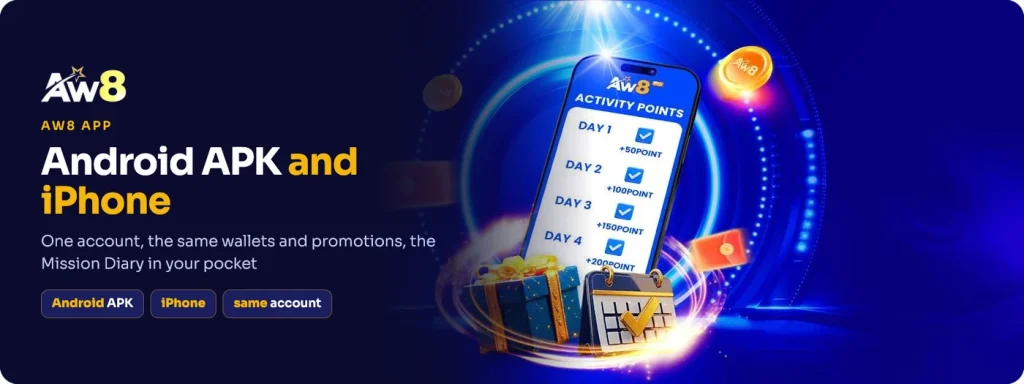
The AW8 app runs on iOS and Android, and it opens with the account you already have. Your Main Wallet balance, your tier, your transfer history and every promotion in the lobby follow you across, because the app is the same product on a smaller screen rather than a separate service.
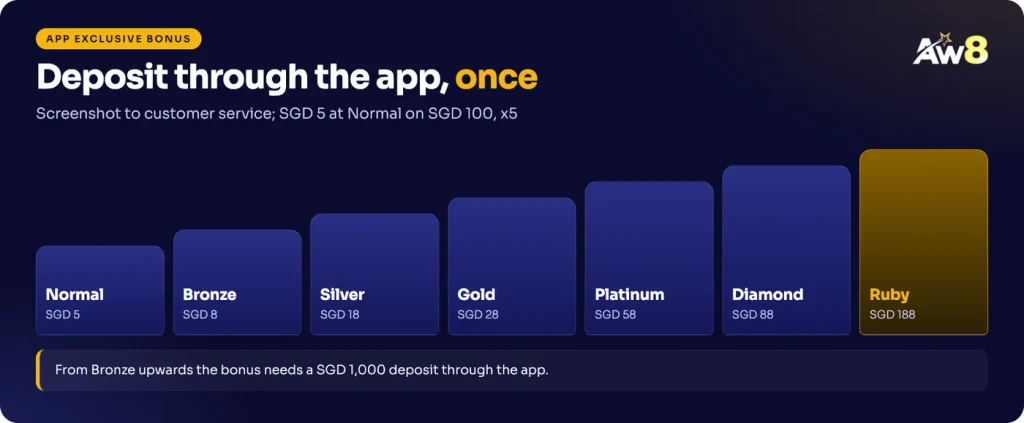
There is one bonus you can only collect through it. Deposit through the app and the App Exclusive Bonus pays from SGD 5 at normal level up to SGD 188 at Ruby, which is the main practical reason to install it instead of using the mobile browser.
AW8 download: getting the app on your phone
The download lives behind your login. Sign in on your phone, open the menu and look for the AW8 APP entry, then pick the version that matches your device. Because the file is served from inside your account, it comes from the same place as the rest of your SGD account, and that is the only place to get it.
Nothing about the download changes your account. You do not register again, you do not move money anywhere, and you keep the same username, password and tier.
Android and the APK file
On Android the app arrives as an AW8 APK file. Android normally blocks installs that do not come from a store, so your phone will ask for permission once before it will open the file. Grant that permission for this install, then leave it switched off afterwards.
- Sign in to the lobby on your phone. Use your normal username and password in the mobile browser.
- Open the app download in the menu. Choose the Android option.
- Download the APK. Let the file finish downloading before you tap it.
- Allow the install for this file. Confirm the permission prompt your phone shows, then continue.
- Open the app and sign in with the same account. Your wallet, tier and promotions are already there.
Install check
Only install the APK you downloaded yourself from the lobby. A file someone sends you in a chat, a group or a forum post is not ours, whatever the name on it says.
Installing on iPhone
For iPhone, open the same app section of the menu, choose the iOS option and follow the instructions shown on screen for your device. Once it opens, sign in with your existing details. Everything you do in the app, including transfers and rebate claims, is recorded against the same account as before, so there is no need to move a balance across.
The App Exclusive Bonus by tier
The bonus rewards a deposit made inside the app, not simply the install. A normal member who deposits SGD 100 through the app receives SGD 5. VIP members who deposit SGD 1,000 through the app receive a larger figure that rises with the tier, up to SGD 188 at Ruby.
| Tier | Deposit through the app | Bonus |
|---|---|---|
| Normal | SGD 100 | SGD 5 |
| Bronze | SGD 1,000 | SGD 8 |
| Silver | SGD 1,000 | SGD 18 |
| Gold | SGD 1,000 | SGD 28 |
| Platinum | SGD 1,000 | SGD 58 |
| Diamond | SGD 1,000 | SGD 88 |
| Ruby | SGD 1,000 | SGD 188 |
Three conditions decide whether you get it. The deposit has to be made in the app, you send customer service a screenshot of it through Live Chat, and the bonus can be claimed once per person, household, IP, card and device. It is not combinable with another offer, so decide before you deposit whether this or a reload suits you better.
The SGD 5 at normal level carries a x5 turnover condition. Turnover counts on the deposit plus the bonus, so SGD 100 and SGD 5 together come to SGD 525 of valid bets before that balance can be withdrawn. Treat the extra as a small return on a deposit you had already planned, never as a reason to deposit a larger amount than you intended.
What stays the same in the AW8 mobile lobby
One account, one set of rules. The Main Wallet sits in the same place, Transfer still moves money into a product wallet, and the promo code dropdown on that screen is still where most bonuses are claimed with a minimum of SGD 50 into the product wallet. Under Fund, Instant Rebate and its Claim All button behave exactly as they do in the browser.
Deposits work the same way too, including crypto and Quick Pay deposits, which carry their own weekly bonus rules. The cashier shows the methods and limits available to your account, and withdrawals still go to Singapore banks or by USDT.
Live Chat is in the app around the clock, so a screenshot for the app bonus, a Weekly Rescue claim or a question about a streak can all be handled on your phone.
The download sits in the app section of the menu once you are signed in, and the first deposit you make there counts towards the App Exclusive Bonus.
Members ask
Is there an AW8 APK for Android?
Yes. On Android the app installs from an APK file that you download from the app section of the menu after signing in. Only install the file you downloaded yourself; a file sent to you in a chat or posted on a forum is not ours.
How do I install AW8 on iPhone?
Sign in to the lobby on your iPhone, open the app download in the menu and choose the iOS option, then follow the instructions shown on screen. When the app opens, sign in with your existing username and password.
How much is the App Exclusive Bonus?
A normal member who deposits SGD 100 through the app receives SGD 5 with a x5 turnover condition. With a SGD 1,000 deposit made in the app, the tier extras are SGD 8 at Bronze, SGD 18 at Silver, SGD 28 at Gold, SGD 58 at Platinum, SGD 88 at Diamond and SGD 188 at Ruby. It can be claimed once, and customer service needs a screenshot of the app deposit.
Do I need a new account for the app?
No. The app uses the same account, the same Main Wallet, the same tier and the same promotions as the browser lobby. Registering again would breach the one account per person rule, so sign in with the details you already have.